Procedure codes
What this is for
Procedure Code Setup is your charge master: every CPT or HCPCS code you bill, with its price. When a code is typed on a claim or encounter line, the price comes from here — and the code must be here, or the line is refused: Invalid Procedure Code. Please enter a valid Procedure Code.
The list
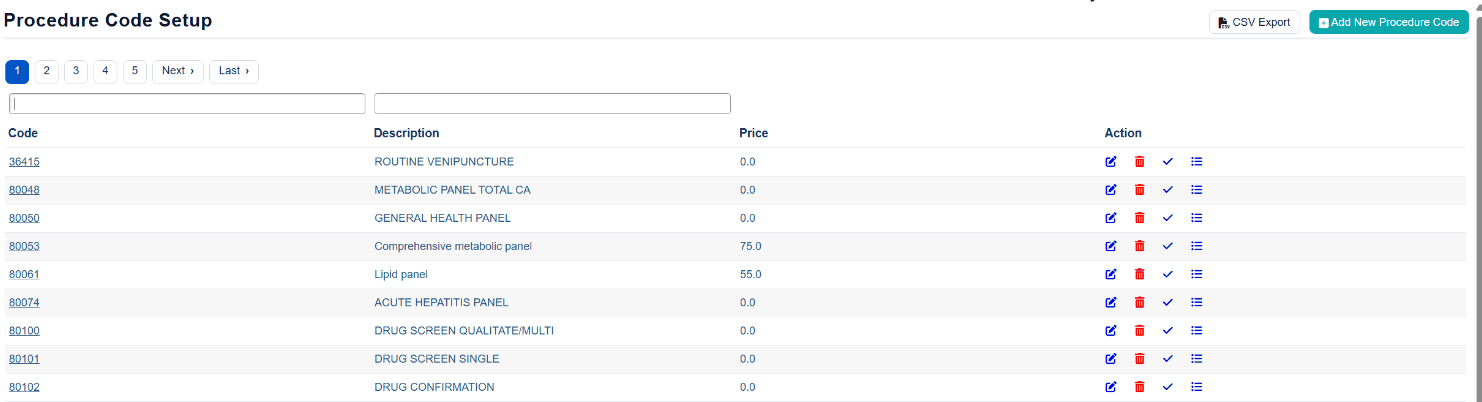
Filter by code or description in the boxes above the columns. CSV Export downloads the fee rows.
Steps: add a procedure code
- Master Setup → Billing Setup → Procedure Code Setup → Add New Procedure Code.
- Enter Procedure Code (5 or 6 characters — the CPT or HCPCS code, as claim lines take it), Description (3 to 150 characters) and, if you use RVUs, RVU Unit.
- Fill the Validation and Fees tabs as needed (below).
- Click Save.
Validation tab
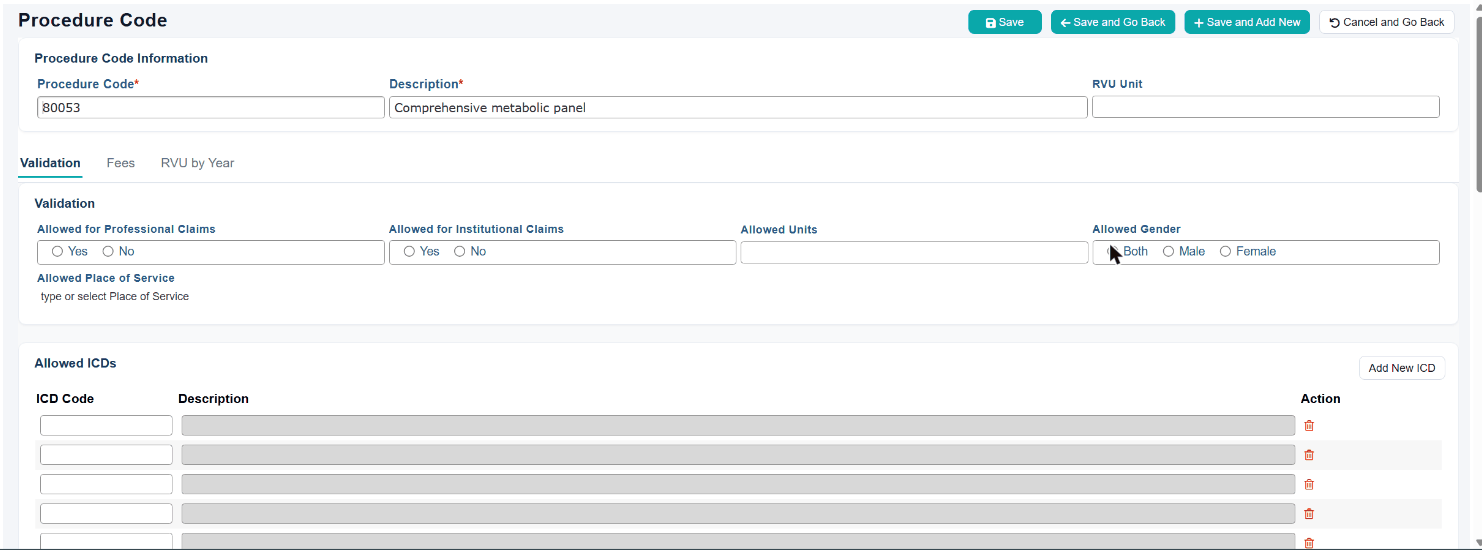
These rules are checked when claims are sent (see Claim scrubbing).
| Setting | What it checks | Example it stops |
|---|---|---|
| Allowed Units | a line may not bill more units than this | 97110 × 6 when the limit is 4 |
| Allowed Gender | a code for one sex only | a female-only code on a male patient |
| Allowed ICDs | the line's diagnoses must be in this list — only when the practice switches on that check in Claim scrubbing | 20610 with M17.11 not in its list |
| NCCI Edit Rules | pairs of codes that may not be billed together, unless an allowed modifier is on the line | a bundled pair without modifier 59 |
| Mutually Exclusive CPT Code Pairs | pairs that can never be billed together | |
| Allowed for Professional Claims | No means the code cannot be billed on a CMS-1500 / electronic professional claim | 99999 set to No on a CMS-1500 claim |
| Allowed Place of Service | the line's place of service (or the claim's, when the line has none) must be one of these | a code allowed for 11 - Office billed with POS 22 |
| Modifier Validation | Modifier N is required: the line must have modifier N. Allowed Modifier N: the modifier in position N must be one of these | modifier 1 required and the line has none; 76 in position 1 when only 25 and 59 are allowed |
| Allowed for Institutional Claims | saved, not checked yet (UB claims cannot be sent yet) |
Taxonomy Code Override and Additional Line Item Information (NDC, unit count, unit of measure, revenue code) add detail sent with the line.
Fees tab
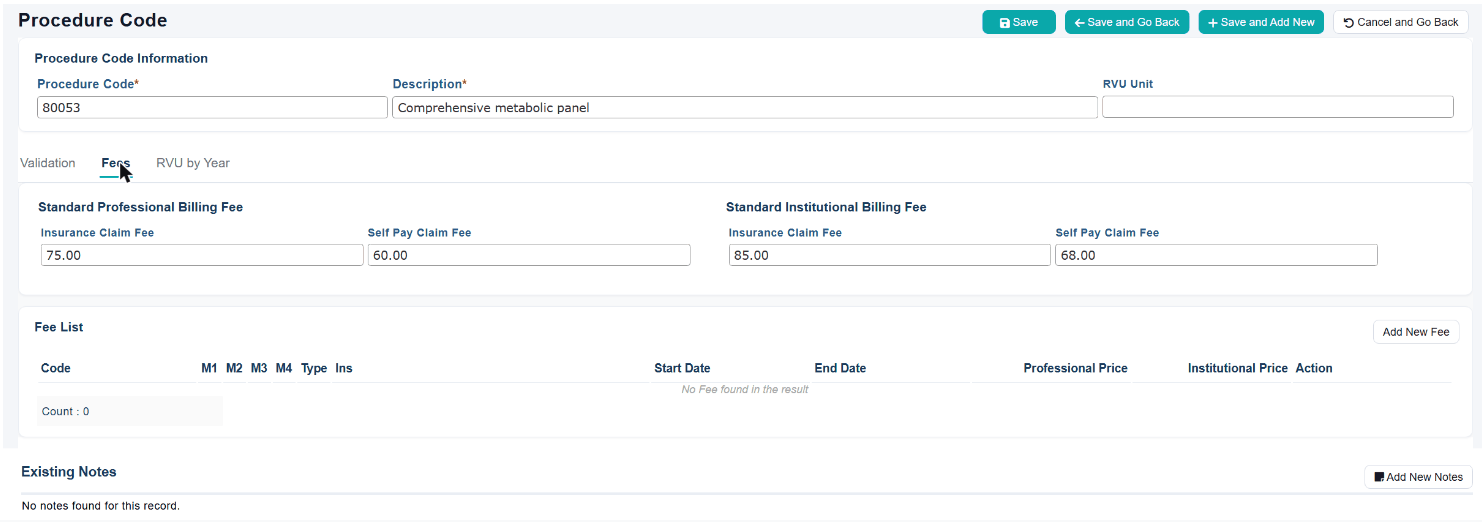
| Fee | Used for |
|---|---|
| Standard Professional Billing Fee — Insurance Claim Fee, Self Pay Claim Fee | professional claims billed to insurance, or to the patient |
| Standard Institutional Billing Fee — the same two | institutional claims |
| Fee List | special prices — by payer group, modifiers and start date |
Add New Fee (save the code first) opens Procedure Code Fee Information: Fee For (Insurance or Self), Payer Group, Modifier1–4, Billing Provider, Rendering Provider, Facility, Start Date / End Date, Professional Price and Institutional Price, and the payer's Expected allowed amounts. A fee row saves straight away.
Which price a claim line gets
- If the code has no Fee List rows, the standard fee — Insurance or Self Pay, by who the claim is billed to.
- Otherwise the best-matching Fee List row in effect on the line's service date — its Start Date on or before it and its End Date empty or on or after it: same Fee For, the most modifiers matching, the patient's payer's payer group (then rows with no group). A row with a Billing Provider, Rendering Provider or Facility prices only claims with that provider or facility, and wins over a row that leaves them empty. If two rows still fit, the one with the later Start Date.
- If no row matches — including when every row starts after the service date — the standard fee.
The price is set when the line is created; changing a fee later does not reprice existing lines.
Example
99213 has a standard insurance fee of $120.00, and a Fee List row for payer group Medicaid Plans at $68.00 with an expected allowed of $62.00. A claim billed to a Medicaid plan in that group is priced $68.00, and $62.00 shows as Expected when the payment is posted. A claim to Aetna is priced $120.00.
RVU by Year holds an RVU per year for the RVU reports; without one, they use RVU Unit.
Procedure groups
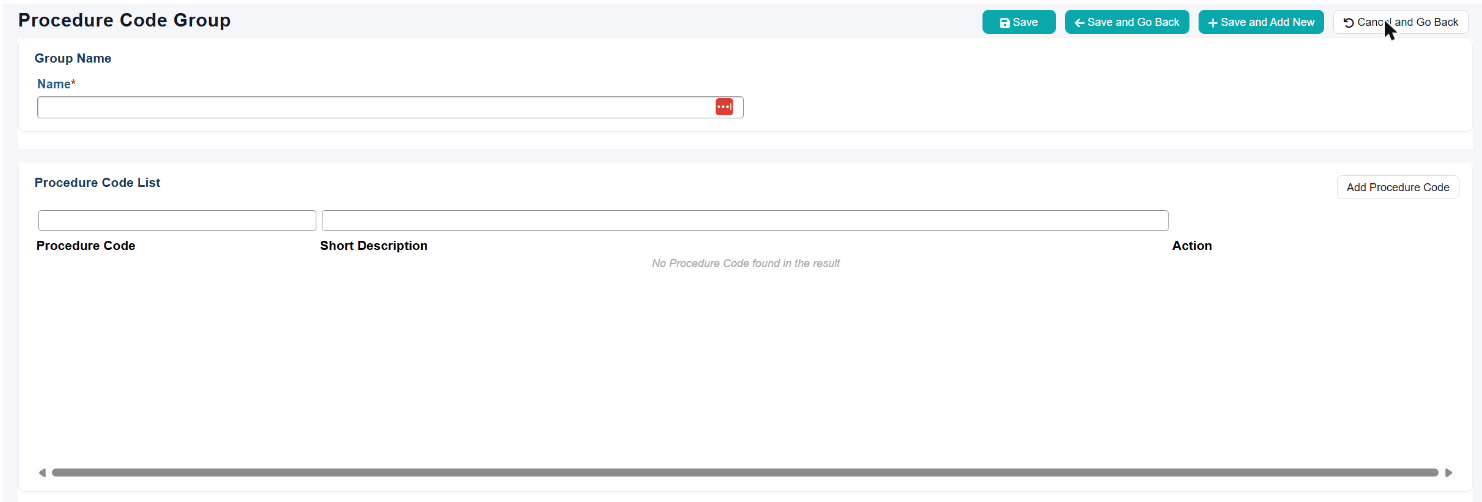
Master Setup → General Setup → Procedure Group — a named set of codes, e.g. Labs or E/M visits, used as Procedure Code Group in the advanced searches of claims, encounters and insurance aging. It does not change prices or checks. Add codes with Add Procedure Code; a group needs at least one.
Common problems
| You see | Why | What to do |
|---|---|---|
| A procedure code setting with the code 'X' already exists. | Already on file. | Edit the existing code. |
| Please save the procedure code details first | Add New Fee on a new code. | Save, then add fees. |
| Overlap detected for Procedure Code … | Another fee row covers the same payer group, modifiers and dates. | Change the dates, or edit that row. |
| Invalid ICD in Allowed ICDs | The ICD is not in your ICD Codes. | Add it there first. |
| This record cannot be deleted because it is used in … | A claim macro uses the code. | Remove it from the macro, or deactivate the code. |