Payers and payer groups
What this is for
A payer is an insurance company or plan you bill. Its record holds the payer IDs the clearing house needs, its address for paper claims, and its claim rules — for example whether it takes secondary claims electronically. A payer group lets several payers share one set of rules.
Before you start
- Open it from the menu: Master Setup → General Setup → Payer (or Payer Group).
- Get the payer IDs from your clearing house's payer list — they differ between clearing houses.
The payer list
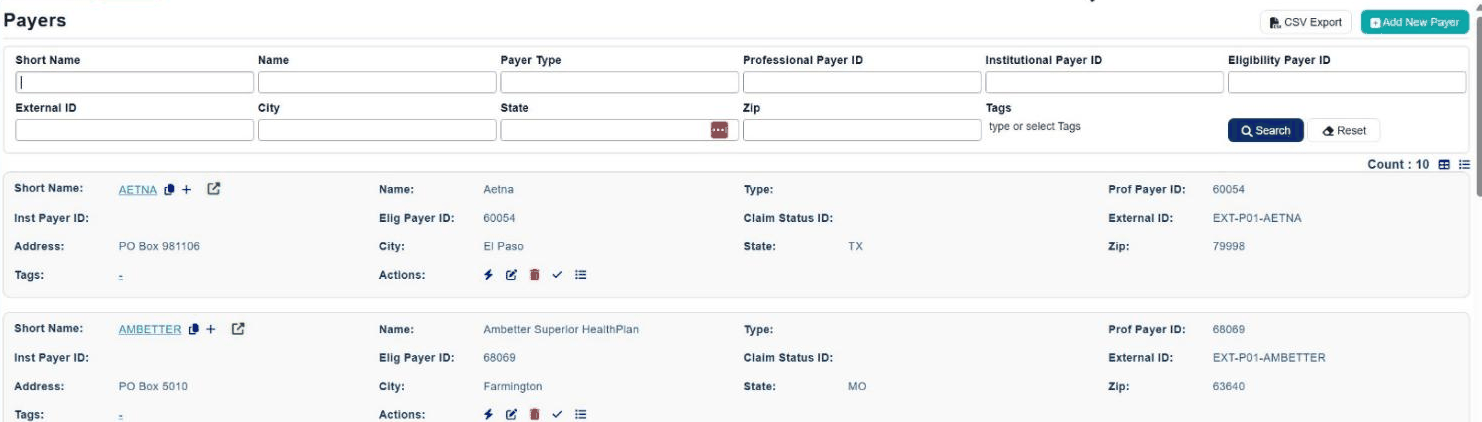
Steps: add a payer
- Click Add New Payer.
- Fill in the General tab (below), then check the Claim Rules tab.
- Click Save.
General tab
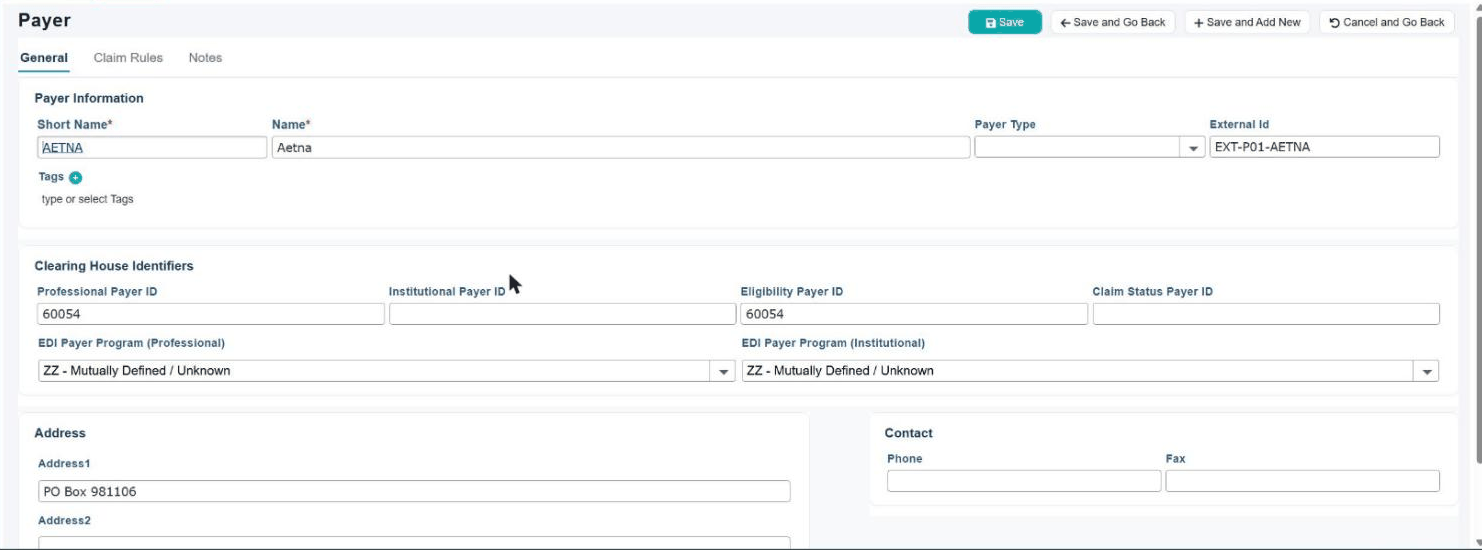
| Field | What it is for | Example |
|---|---|---|
| Short Name | your code for the payer; imports and searches match on it | AETNA |
| Name | printed on paper claims (2–100 characters) | Aetna |
| Payer Type | Medicare, Medicaid, Commercial … — for reports and searches only | Commercial |
| External Id | the payer's id in another system you import from | |
| Professional Payer ID | required to send professional (837P) claims, and used for claim status checks when Claim Status Payer ID is blank | 60054 |
| Institutional Payer ID | for institutional claims | |
| Eligibility Payer ID | required for eligibility checks (270) | 60054 |
| Claim Status Payer ID | the clearing house's claim-status id, where it differs — claim status checks (276) are sent with it; blank uses the Professional Payer ID. A change applies to claims already in the Claim Status queue when they are scheduled | |
| EDI Payer Program (Professional / Institutional) | the kind of plan — e.g. CI - Commercial Insurance, MB - Medicare Part B. Required; ZZ - Mutually Defined / Unknown by default | CI |
| Address, Contact | the claims address, printed on paper claims | PO Box 981106, El Paso TX 79998 |
Claim Rules tab
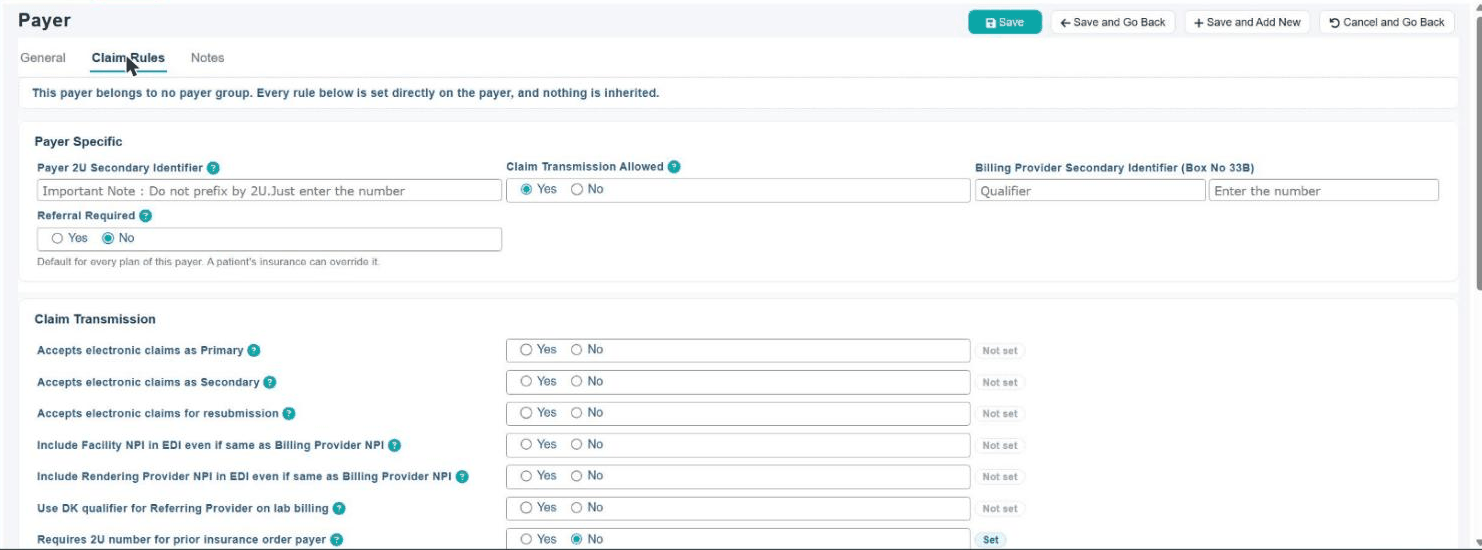
A rule left Not set uses the payer group's value, or the system default.
Payer Specific
| Rule | What it does |
|---|---|
| Claim Transmission Allowed | No stops imported claims for this payer being queued to send — e.g. capitation. |
| Referral Required | the payer needs a referral; a patient's insurance can override it. Drives the referral checks on claims. |
| Authorization Required | the payer needs a prior authorization; a patient's insurance can override it. Drives the Missing check on encounters and claims (Patient Authorizations). |
| Payer 2U Secondary Identifier | this payer's ID as other payers know it. Sent on a later payer's electronic claim (REF*2U, other payer section) when that payer has Requires 2U number for prior insurance order payer = Yes. |
| Billing Provider Secondary Identifier (Box No 33B) | saved, but not used on claims yet. |
Claim Transmission
| Rule | Default | What it does |
|---|---|---|
| Accepts electronic claims as Primary | Yes | No: the claim is refused from the EDI queue as primary — Send this claim on paper. |
| Accepts electronic claims as Secondary | Yes | the same for secondary and later claims |
| Accepts electronic claims for resubmission | Yes | the same for corrected (frequency 7) claims |
| Include Facility NPI in EDI even if same as Billing Provider NPI | Yes | No leaves the facility NPI off when it equals the billing NPI |
| Include Rendering Provider NPI in EDI even if same as Billing Provider NPI | Yes | No leaves the rendering provider off when the NPIs match |
| Use DK qualifier for Referring Provider on lab billing | No | Yes, for a lab practice: the electronic claim sends the referring provider on every service line as DK instead of once on the claim as DN. Other practices, and the printed form, are not affected. |
| Requires 2U number for prior insurance order payer | No | Yes: on a secondary or tertiary claim to this payer, each earlier payer goes with its Payer 2U Secondary Identifier (when it has one). |
Paper Claim Settings (CMS-1500)
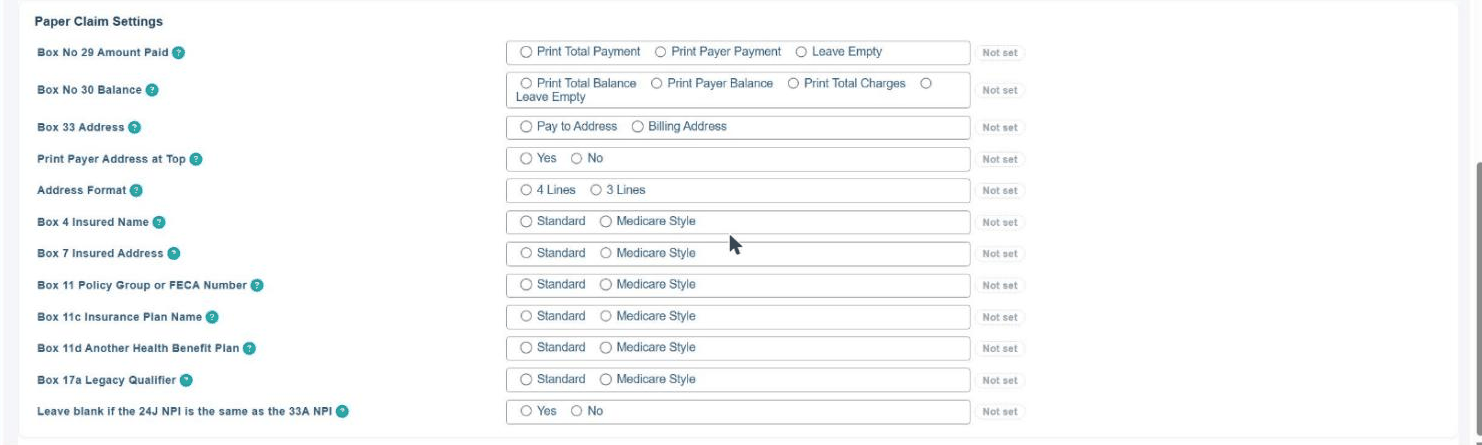
| Rule | Default | What it does |
|---|---|---|
| Box 33 Address | Billing Address | Pay to Address prints the billing provider's pay-to address — when it is complete |
| Print Payer Address at Top | Yes | prints the payer's address block at the top |
| Address Format | 4 Lines | 3 Lines leaves out address line 2 |
| Box 4 Insured Name, Box 7 Insured Address | Standard | Medicare Style: blank on primary claims, SAME on secondary when the patient is the insured |
| Box 11 Policy Group or FECA Number | Standard | Medicare Style: None on primary; the primary's group number on secondary |
| Box 11c Insurance Plan Name, Box 11d Another Health Benefit Plan | Standard | Medicare conventions for these boxes |
| Leave blank if the 24J NPI is the same as the 33A NPI | No | Yes blanks 24J when it repeats 33A |
| Box No 29 Amount Paid | Leave Empty | not in use yet |
These rules apply to professional (CMS-1500 / 837P) claims. What each box holds, and which of these rules changes it, is in CMS-1500 boxes.
Payer groups
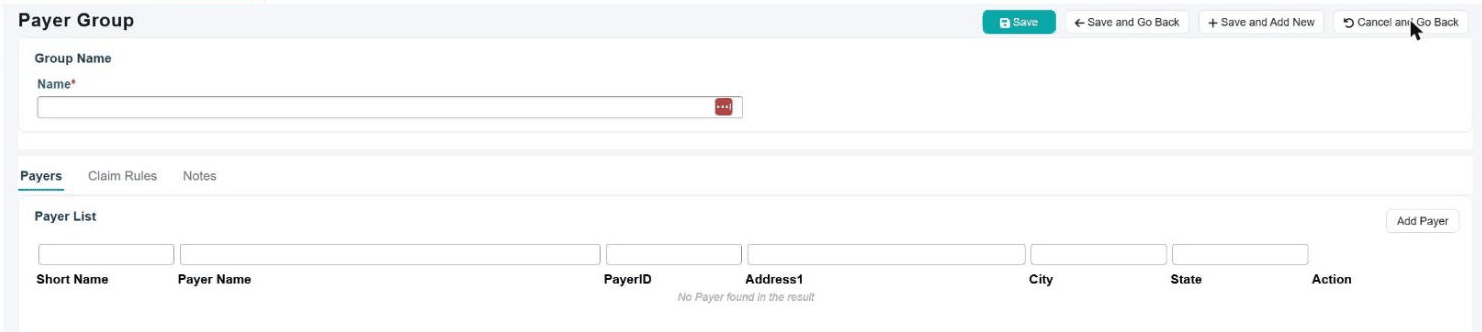
A payer group is a set of payers that share claim rules — and, if you want, fee schedules (see Procedure codes → Fee list). A payer can be in one group.
- Master Setup → General Setup → Payer Group → Add New Payer Group.
- Type the Name. On Payers, click Add Payer and pick the payers.
- On Claim Rules, set the rules the group shares. Clear sets a rule back to not set.
- Save. A group must have at least one payer.
How a rule is decided: the payer's own value if it has one → otherwise the group's → otherwise the system default.
Example
Group BCBS Plans sets Accepts electronic claims as Secondary = No. Its payers BCBS-TX and BCBS-IL both show that rule locked, with the chip BCBS Plans, and their secondary claims must go on paper. On BCBS-IL you click Override, choose Yes and save — the chip reads Overridden and BCBS-IL secondaries go electronically. Use group puts it back.
A change to a group applies to future claims of every payer in it that has not overridden the rule.
Common problems
| You see | Why | What to do |
|---|---|---|
| A payer with the short name 'X' already exists. | The short name is taken. | Use another, or find the existing payer. |
| Professional Payer Program cannot be Empty | No EDI Payer Program. | Choose one — ZZ if unsure. |
| Payer 'P' already belongs to the payer group 'G'. | A payer can be in one group. | Remove it from that group first. |
| Group should contain at least one Payer | The group is empty. | Add a payer. |
| Professional Payer ID is missing when sending | No Professional Payer ID. | Add it from your clearing house's payer list. |
| Payer Eligibility PayerId is missing for the payer | No Eligibility Payer ID. | Add it. |