Claim macros
What this is for
A claim macro saves a claim you bill often — a lab panel, a physical, a standard visit — with its diagnosis codes, service lines and providers. Apply it on a claim and everything fills in at once. Claim imports V3 and V4 build whole claims from a macro.
The list
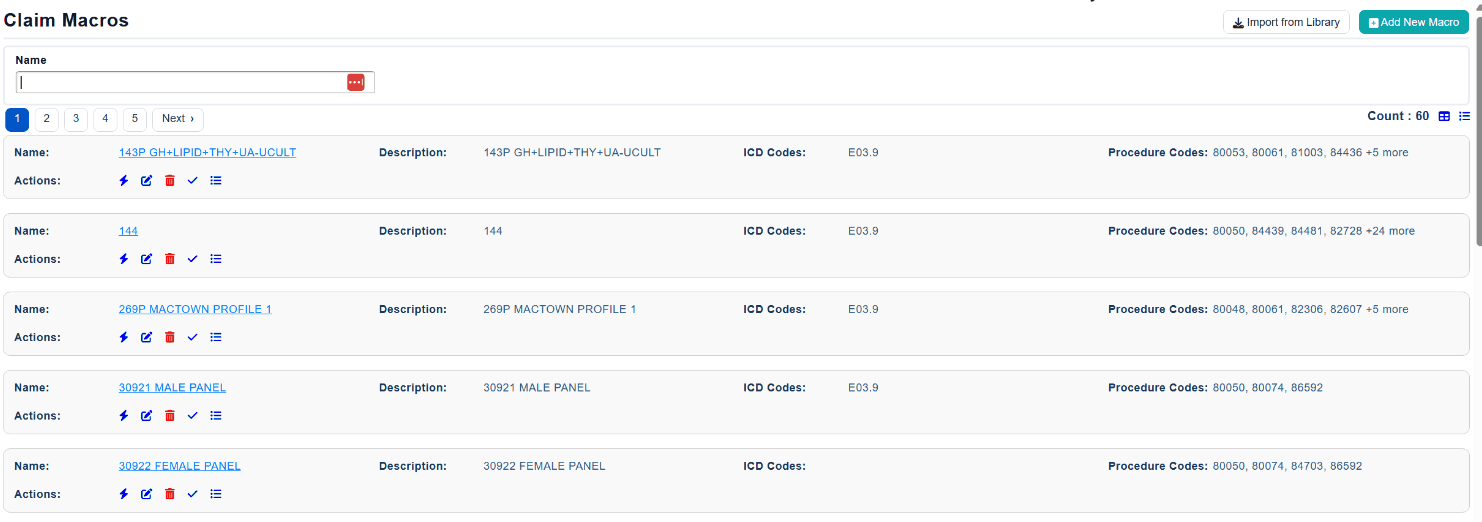
Import from Library copies ready-made macros into your practice: tick them and click Import Selected. Codes they need are added to your lists — with a $0.00 price and, for new diagnosis codes, a placeholder description. Set the prices in Procedure codes and complete the descriptions in ICD Codes.
Steps: create a macro
- Master Setup → General Setup → Claim Macro → Add New Macro.
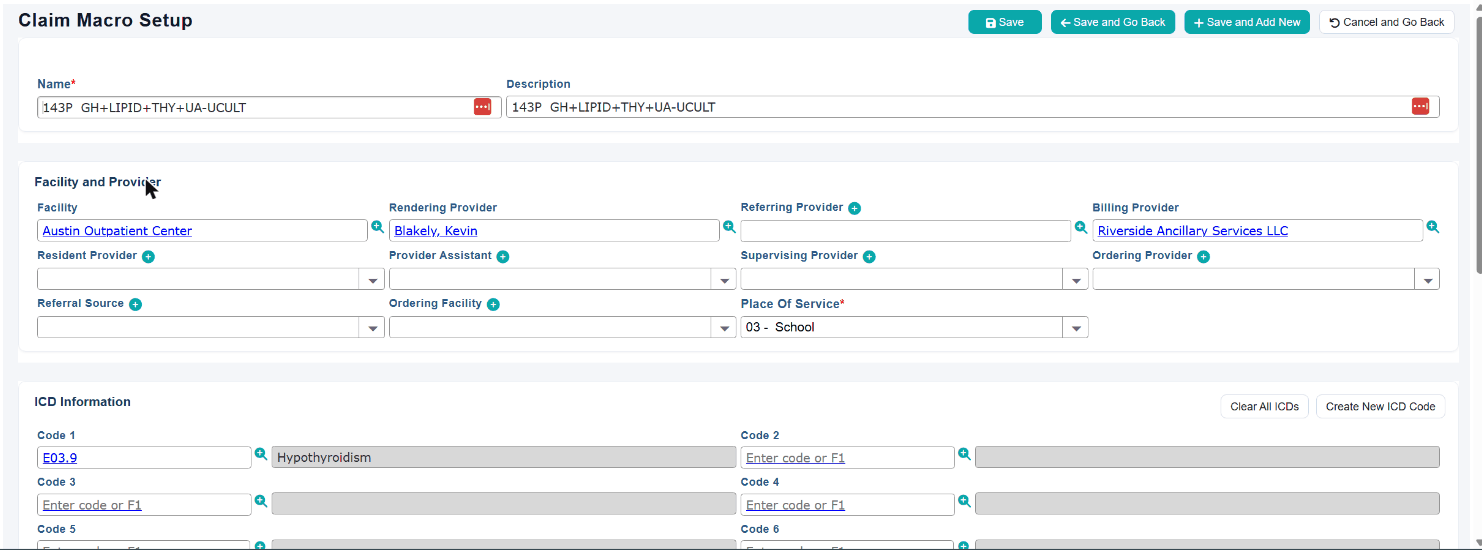
- Enter a Name (it must be unique — imports use it) and a Description.
- Facility and Provider: choose the facility, providers, referral source, ordering facility and Place Of Service the macro should fill — or leave them for each claim. Pick them with the magnifying glass or type the name or code; a typed value that matches nothing, or several records, is refused on Save.
- ICD Information: enter Code 1 … 12.
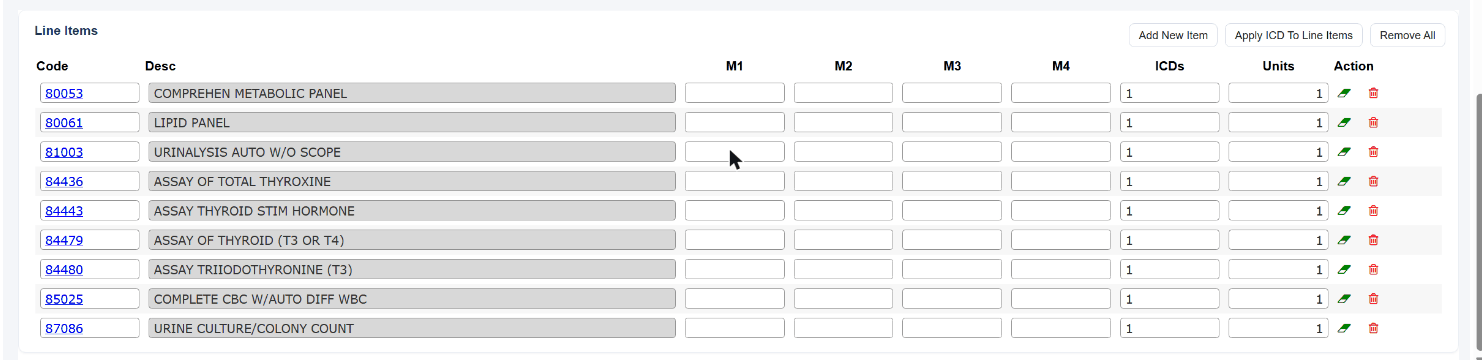
- Line Items: enter each procedure Code, modifiers M1–M4, the ICDs it points to
(e.g.
1,2) and Units. Apply ICD To Line Items points every line at the ICDs above. - Save.
What applying a macro does
On a claim, click Macro and pick one:
- Diagnosis codes are copied only if the claim has none yet.
- Providers, facility, referral source and ordering facility fill only the fields that are still empty.
- Lines are added with their codes, modifiers and units, priced from Procedure codes, and pointed at all the claim's diagnosis codes — check the pointers. The date of service comes from the claim.
- The macro's Place Of Service is not copied on the claim screen — the claim keeps its own.
In claim imports V3 and V4, MacroName must be an active macro with lines; its ICD
pointers and POS are used, and the file's own values win where given. See
Claim imports.
Common problems
| You see | Why | What to do |
|---|---|---|
| A claim macro with the name 'X' already exists. | The name is taken. | Choose another. |
| Procedure Code must be between 5 or 6 characters | A line code is too short or long. | Check the code. |
| No active Claim Macro found for MacroName: 'X'. (import) | The name is wrong or the macro is inactive. | Check the exact name; activate it. |
| Claim Macro 'X' does not contain line items. (import) | The macro has no lines. | Add lines. |
| ICD Mapping for 90834 points to ICD 2, but ICD 2 is empty. | A line points to a diagnosis the macro does not have. | Add the ICD code, or correct the line's ICDs. |
| Claim Macro 'X' line 90834 points to ICD 2, but the macro has no ICD 2. (import) | A macro saved before this check has a bad pointer. | Open the macro, fix the line, Save. |