Billing Provider
Under Master Setup → General Setup → Billing Provider. For which provider is which, see Providers.
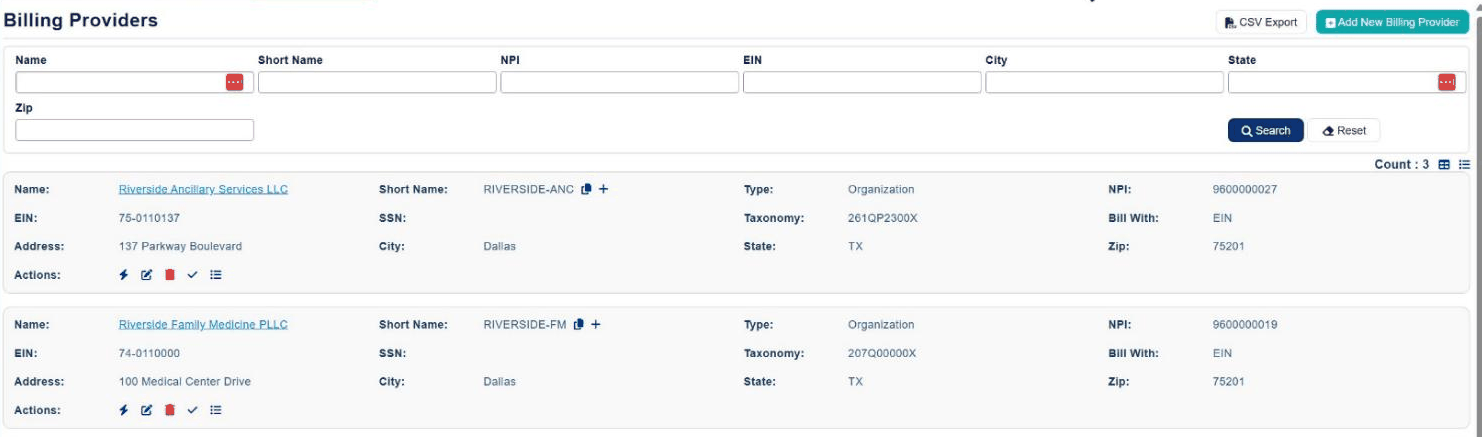
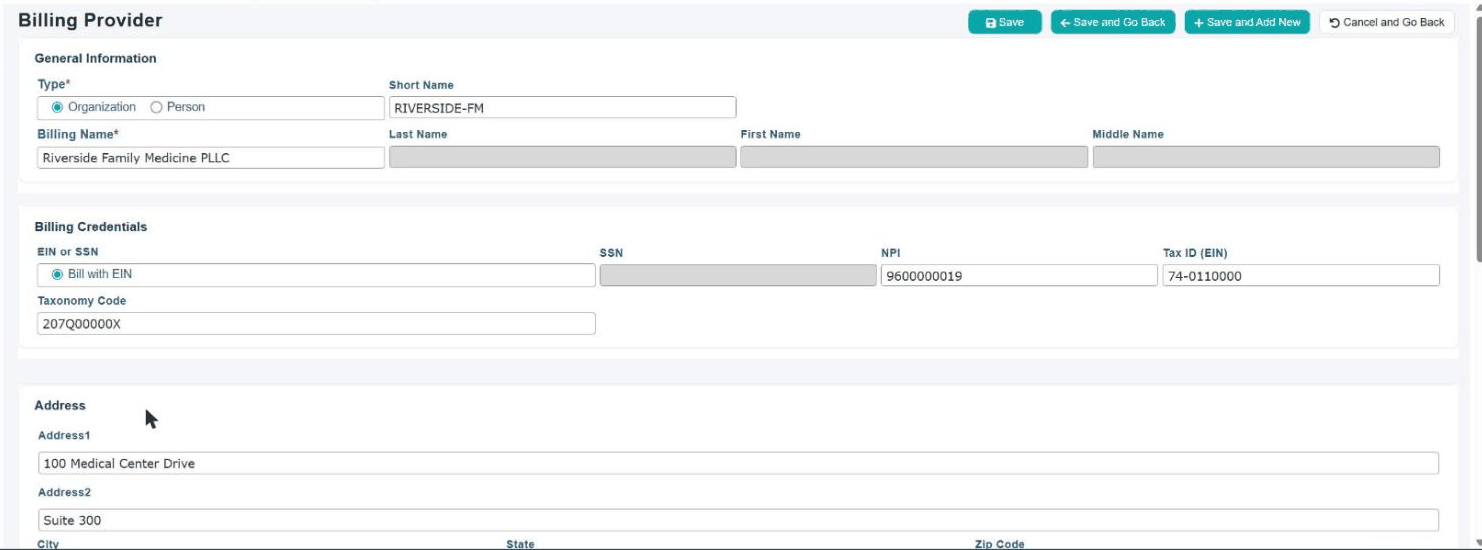
| Field | What to enter | Example |
|---|---|---|
| Type | Organization for a practice or group (the default); Person for a provider billing alone | Organization |
| Billing Name | the organization's legal name — printed in box 33 (Organization) | Riverside Family Medicine PLLC |
| Last / First / Middle Name | the person's name (Person) | |
| EIN or SSN | what the provider bills under — an organization always bills with EIN | Bill with EIN |
| NPI | the billing NPI — 10 digits, box 33a | 9600000019 |
| Tax ID (EIN) | 99-9999999 — box 25 |
74-0110000 |
| Taxonomy Code | the provider taxonomy — box 33b and PRV*BI | 207Q00000X |
| Address | the billing address — a street address | 100 Medical Center Drive |
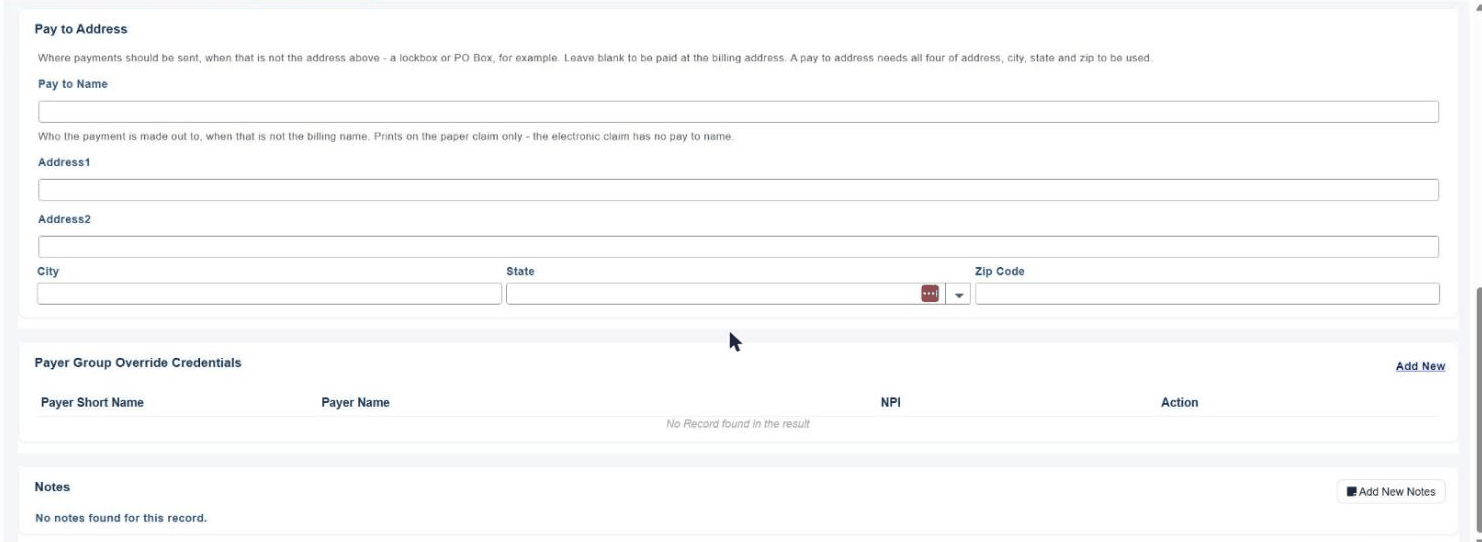
- Pay to Address — where payments go when that is not the billing address (a lockbox or PO box). Fill all of address, city, state and ZIP, or leave it empty. Electronic claims send it as the pay-to address; paper claims print it in box 33 only for payers whose Box 33 Address rule is Pay to Address. Pay to Name prints on paper claims only.
- Payer Override Credentials — a different NPI, tax ID or address for one payer. See Payer Override Credentials below.
- Payer Group Billing Rules — which rendering providers may bill under this billing provider for claims whose primary insurance is in a given payer group. See Payer group billing rules.
The billing provider in Practice Setup → Default Values fills in on every new claim.
Payer Override Credentials
Some payers have the practice enrolled under a different NPI, tax ID or address from everyone else. Instead of a second billing provider, add an override for that payer in the billing provider's Payer Override Credentials section: Add New, pick the payer, enter the values and Save.
- Claims billed to that payer — primary or secondary, whichever is being billed — carry the override instead of the billing provider's own values, electronic and paper alike.
- Leave a field blank to keep the billing provider's value. A new override starts with the billing provider's own address.
- An override address needs address, city, state and ZIP, or the claim is held back at transmission.
- Delete the override and claims go back to the billing provider's own details.
Video — adding a payer override (about 1 minute)
If the video does not load, watch it on ScreenPal.
Common problems
| You see | Why | What to do |
|---|---|---|
| Invalid NPI. NPI must be 10 digits. / NPI must be numeric and 10 characters. | The NPI is not 10 digits. | Check it on the NPI registry. |
| A billing provider with the NPI 'X' already exists. | That NPI is already on file. | Use the existing record. |
| Billing Name cannot be Empty | An organization needs a billing name. | Fill it in. |
| Short Name cannot be empty (company is configured for manual short name entry). | Your practice types short names. | Type one. |
| This record cannot be deleted because it is used in Claims | Claims use this provider. | Deactivate it instead. |